What is the agentic web, and how can you prepare your website for AI agents?
An AI finding your business is not enough: it also needs to understand how to act on your website. A practical marketing guide, without coding, based on Chrome’s experimental checks.

By Rubén García · October 13, 2026 · 8 min
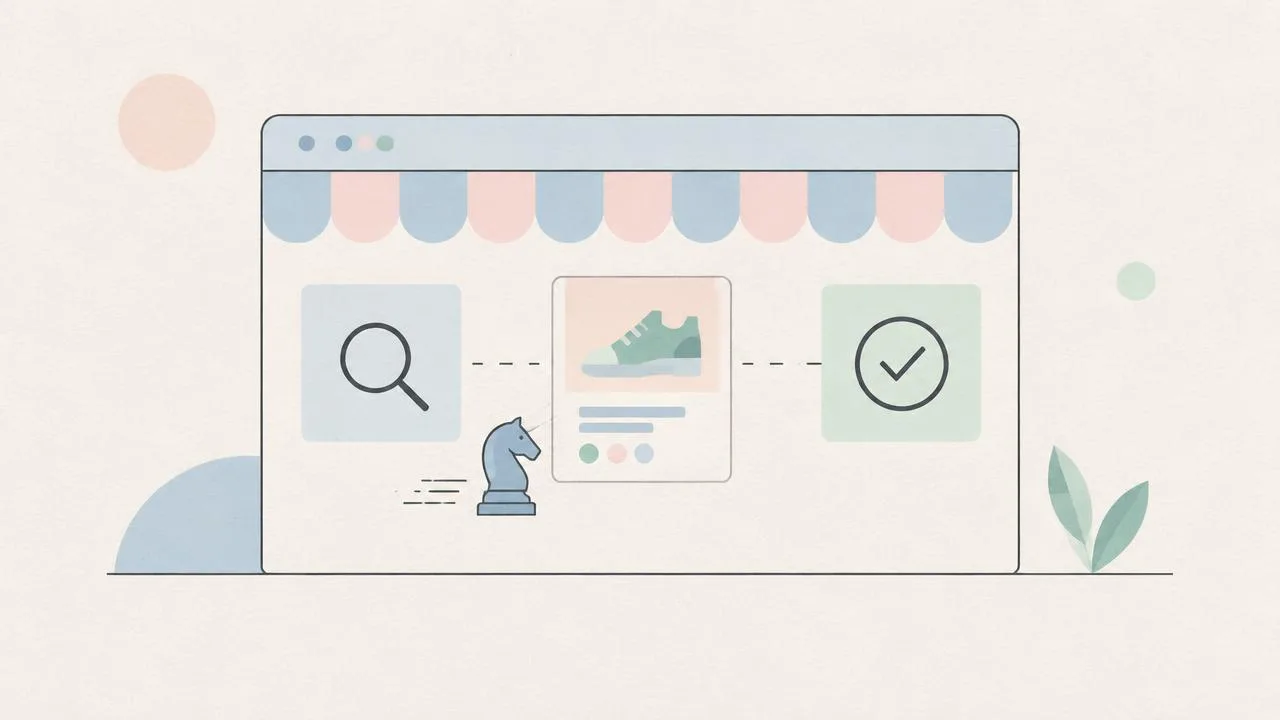
The agentic web describes a web where an AI assistant can do something on someone’s behalf: find a product, complete an enquiry or start a booking. For marketing, the question expands from ‘Can they find us?’ to ‘Can they complete the task without getting confused?’ It is not a certification or a single technology: it is an approach to preparing for this kind of interaction.
Consider this hypothetical example: someone asks an assistant to find an available consultation on Tuesday and prepare a booking. It finds your business but cannot distinguish the date field or the button that confirms the request. Visibility has been achieved, yet the journey stops. This illustrates a problem; it is not a measured outcome or a claim that every assistant can already book on every website.
How does the agentic web differ from SEO and GEO?
SEO, or search engine optimization, helps search engines discover and interpret pages. GEO, or generative engine optimization, concerns content that is useful for AI answers: clear explanations, context and verifiable sources. Agentic readiness addresses a different question: can a system identify and use the website’s available actions?
- SEO: someone searches for ‘AI marketing consultancy’ and finds a relevant page.
- GEO: an AI understands an explanation about AI marketing and may use it in an answer. A citation is not guaranteed.
- Agentic web: an agent identifies a contact form and understands what it needs to submit a request authorized by the person.
These goals overlap, but are not interchangeable. For the content side, see our guide to GEO and visibility in AI search. To understand how agents decide and execute steps, start with how an agent differs from a chatbot.
What does Chrome check about websites built for agents?
According to its official documentation, Lighthouse—a tool for reviewing web pages—uses specific checks on machine interaction. Its Agentic Browsing category and WebMCP support are experimental and based on proposed standards. The documentation checked on October 13, 2026 requires Chrome 150 or later; WebMCP audits also require registration in its origin trial, an experimental access programme for websites.
150+
Chrome version required by the documentation to test the category
No 0–100
the report shows a proportion of checks passed, not a weighted score
>40
registered WebMCP tools trigger a warning in the informational audit
The fraction shows how many checks passed out of the total. Some audits report errors or warnings; others provide information. For example, Registered WebMCP tools lists registered actions and is informational. A longer list does not mean greater readiness: Chrome warns that excessive tools can add latency and confuse the agent.
How can you help AI understand your buttons and forms?
The documentation highlights the accessibility tree: an organized representation of a page that identifies elements, roles and names. Think of it as an instruction index: ‘this is a submit button’ and ‘this field asks for an email address.’ It helps assistive technology and agents using that representation. An icon that makes sense to a person can lack a machine-readable name.
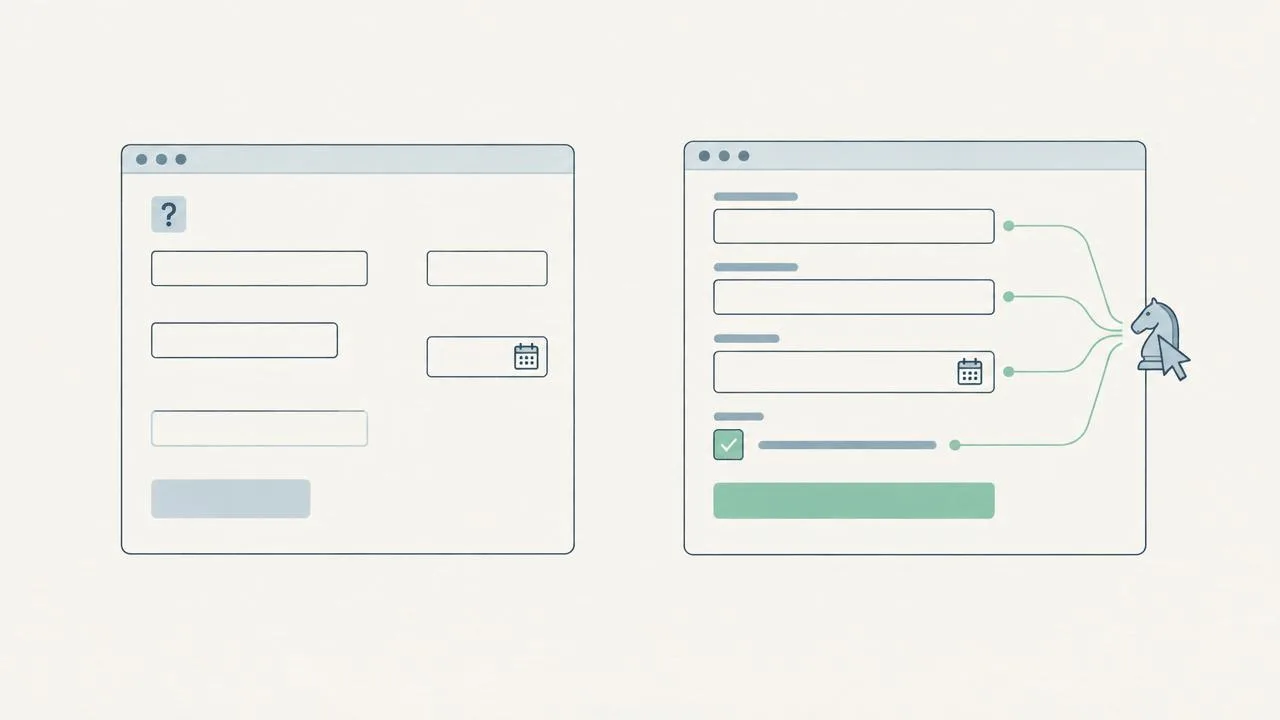
- A calendar-only button: ask for an accessible name such as ‘Choose date.’ An attractive icon is not enough.
- A field that only displays ‘Your email’ inside it: ask for an associated label that still identifies the field while someone types. Example text does not necessarily replace that label.
- A quotation request: state which details are required and use errors that explain how to fix the issue, such as ‘Enter a valid email address.’
- The end of a journey: display an unambiguous result such as ‘Request received,’ without confusing submission with acceptance of a quotation.
The first two points relate directly to the names and labels Chrome checks. The error and confirmation examples are editorial recommendations for clearer journeys; we are not presenting them as additional audits in this category. Your technical team should check that the labels and relationships exist in the page, not just that they appear in a screenshot.
Your take, in one click
Where would you start preparing your website for AI?
Why does it matter if page elements jump around?
CLS stands for Cumulative Layout Shift and measures unexpected changes in visual layout. A simple example: you are about to press ‘Submit’ when an image finishes loading and pushes the button down. Chrome notes that an agent may identify an element and find it elsewhere when attempting to interact.
Without coding, you can watch the form while the page loads and try a slower connection. If fields or buttons move, send your team a recording and ask them to reserve space for images, ads and later-loading content. The recommendation is to reduce an observable problem, not chase an isolated score. Not every agent relies on visual coordinates in the same way, either.
What is WebMCP, and what can you ask your team without coding?
WebMCP is a proposal for exposing website capabilities to agents through explicitly described tools. Here, ‘tool’ does not mean an application you need to buy: it means an available action, such as checking availability. Think of it as handing the assistant an action menu instead of making it guess what each element does.
Chrome describes two ways to register actions: adding attributes to HTML forms—the code that structures a page—or registering them with JavaScript, code that can give a website interactive behaviour. You do not need to memorize either option to write a useful brief: describe what the action does, which inputs it needs and what it returns. Your team can assess compatibility, the experimental trial and implementation.
Do not expose internal functions or broaden permissions simply to make automation easier. Identity, consent and authorization checks must remain in place. If an action involves buying, sending personal details or modifying an account, define when the person must confirm and ask for permissions to be checked for every action.
Do you need an llms.txt file to appear in AI answers?
The category’s documentation mentions checking for llms.txt, a machine-readable summary at the domain root. This does not establish a universal requirement for search engines or assistants, or prove that it creates citations. It can be assessed as an experimental complement, but cannot replace clear, accessible pages, verifiable sources or well-defined actions.
Our editorial priority is to fix the failing task first. Adding a file while the submit button remains unclear does not remove that obstacle. This prioritization is a practical deduction, not an official Lighthouse weighting.
How can you prepare your website for AI agents step by step?
- Choose a valuable journey: request a demo, find a product or check availability. Describe the expected result and what must NOT happen without permission.
- Do a human review: button names, labels, required inputs, errors and confirmation. Note every step that requires guessing.
- Request a technical review: accessibility tree, control structure and stability during loading. Share screenshots or videos of specific problems.
- Assess WebMCP only if it fits: confirm experimental requirements with your team and describe a few useful actions for this journey.
- Test in a test environment with fictional data, without real purchases or submissions. When a compatible agent is available, check what it does, not just the report.
- Repeat the same task after changes and record completed, blocked or incorrect, alongside the failure point. Keep the environment consistent and note the tool, date and sign-in state.
As an original working method, keep one record per journey: objective, test conditions, expected action, observed outcome and blocker. If an attempt reaches ‘Request received,’ also verify that the correct request exists in the test environment. Do not count a click as success when details were not saved or were sent somewhere else.
This record helps prioritize issues without inventing improvement percentages. Complement your usual measurement with clearly defined growth metrics, but do not mix controlled tests with real conversions. Identifying agent visits requires reliable evidence; unusual visitor behaviour alone is not enough to classify a session as AI.
The marketing takeaway is specific: build an understandable, stable and verifiable journey before chasing an ‘AI-ready’ label. That work helps people and may reduce obstacles for compatible agents. The technology is evolving, and results need to be checked in your own setting.
Frequently asked questions
Can I start preparing my website for AI agents without coding?
Yes. You can define tasks, review names and messages, spot layout shifts and prepare a brief with examples. Code, permissions and WebMCP checks belong with the technical team.
Does the Lighthouse agentic browsing score improve my SEO?
The documentation checked does not describe it as a ranking factor. It is an experimental category showing passed checks, errors and information about machine interaction, not a ranking guarantee.
Is WebMCP mandatory for an agent to use my website?
It is not an established universal requirement. It is an experimental proposal for explicitly describing actions; its usefulness depends on compatibility and the journey. Clarity and accessibility remain useful starting points.
How do I know an agent completed a form correctly?
Check the final outcome and recorded details in a test environment, not just whether it pressed Submit. Document the tool, conditions and any failure point so equivalent tests can be compared.